Project
Solo UX/UI
case study
Platform
Mobile App (iOS)
Duration
1 Months, 2023
Role
UX Research, UI/UX Redesign,
Prototyping, Usability Testing
DISCOVERY
App reviews
Competitor Analysis
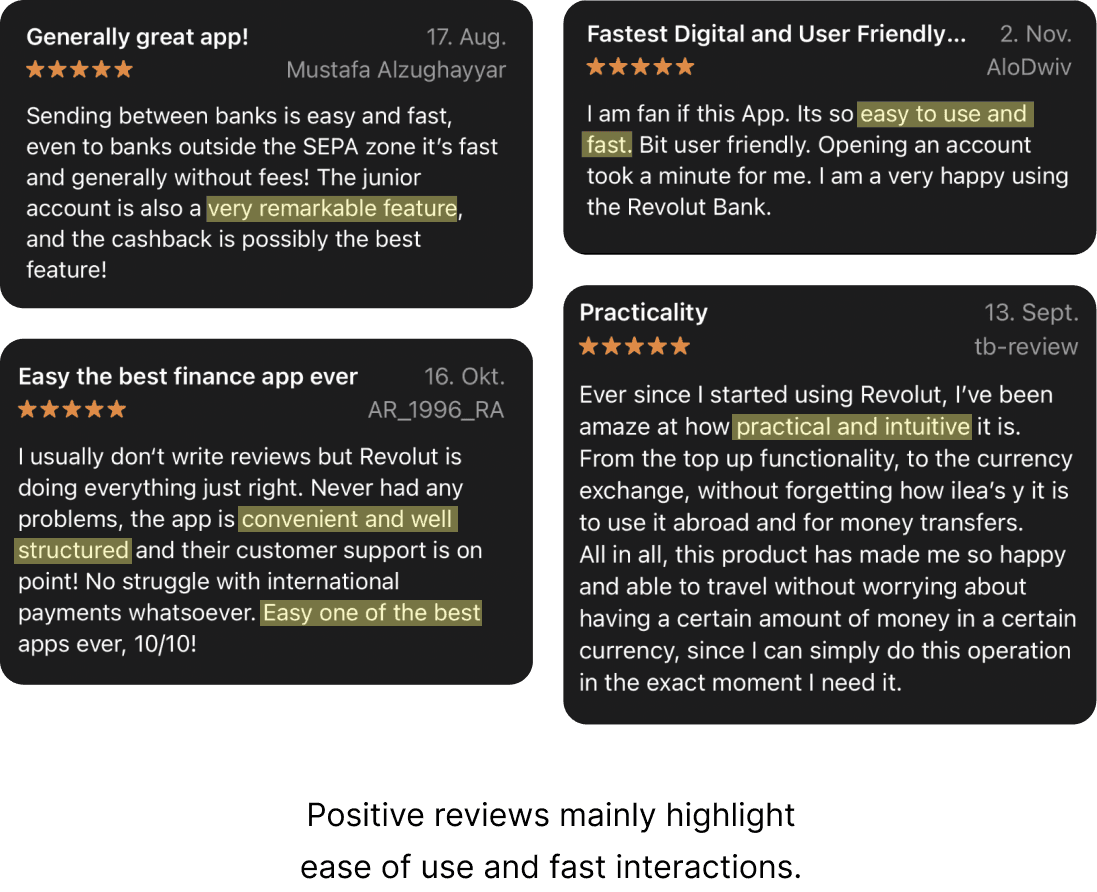
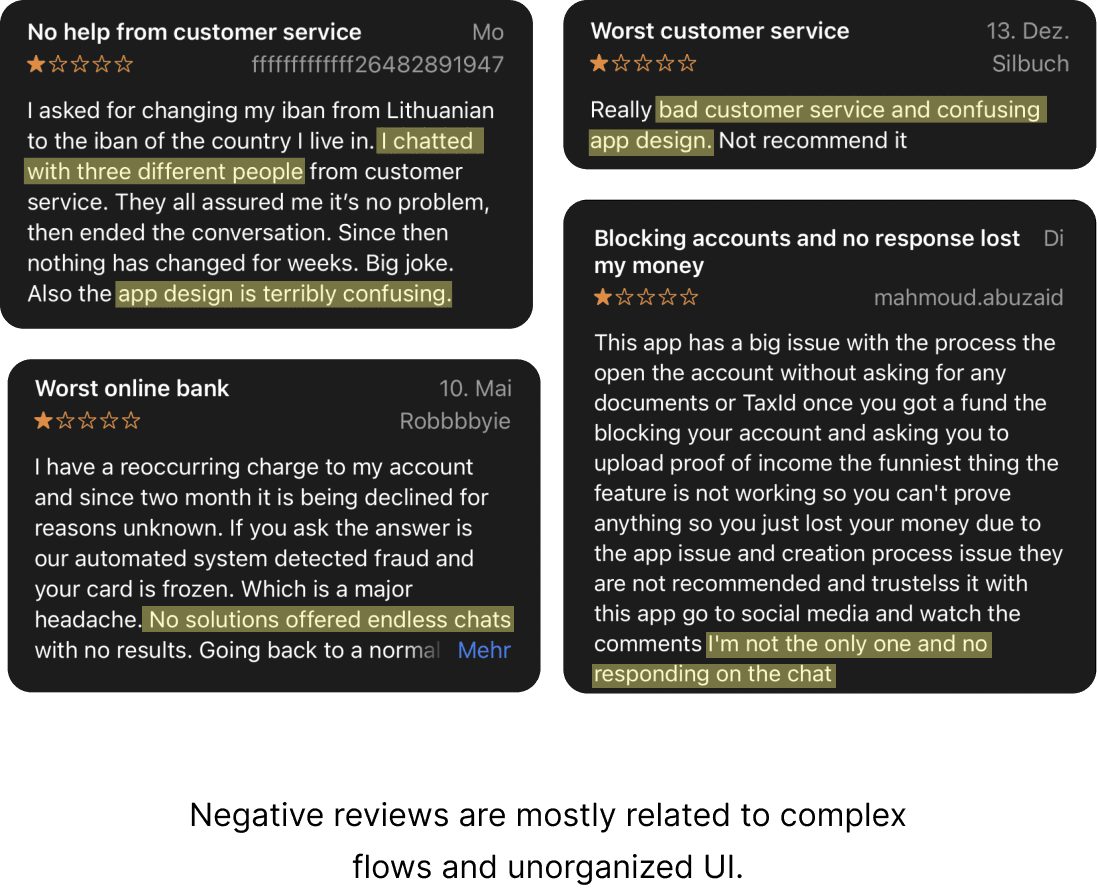
To understand the mobile banking landscape, I analyzed several competing apps and compared their key features and user flows. Based on user reviews and feedback, I identified their strengths, weaknesses, and common usability patterns.

Vivid
A digital banking and investing platform operating in Germany and across Europe.
Pros
Allows users to change card number and CVV for security
Offers cashback rewards through stock investment or cash
Cons
Limited customer support availability
Fees apply when opening multiple sub-accounts (3+)

N26
A Germany-based digital bank offering mobile-first banking services.
Pros
Spaces feature for budgeting and money management
MoneyBeam enables real-time transfers between N26 users
Cons
Phone support only for premium users
Re-authentication required when switching devices
Key findings
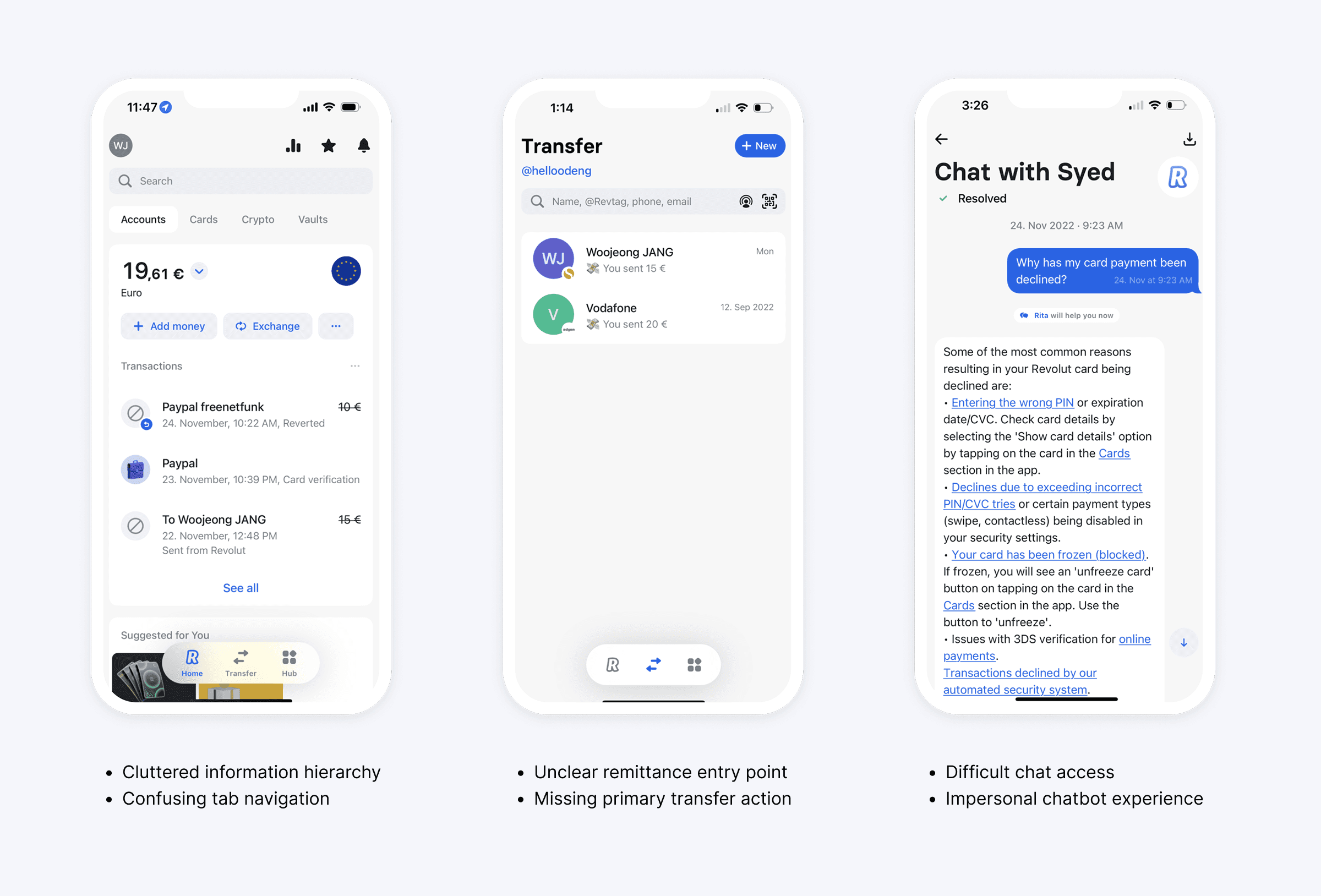
The main usability issues stem from unclear hierarchy, fragmented navigation, and insufficient guidance in core user flows.
01
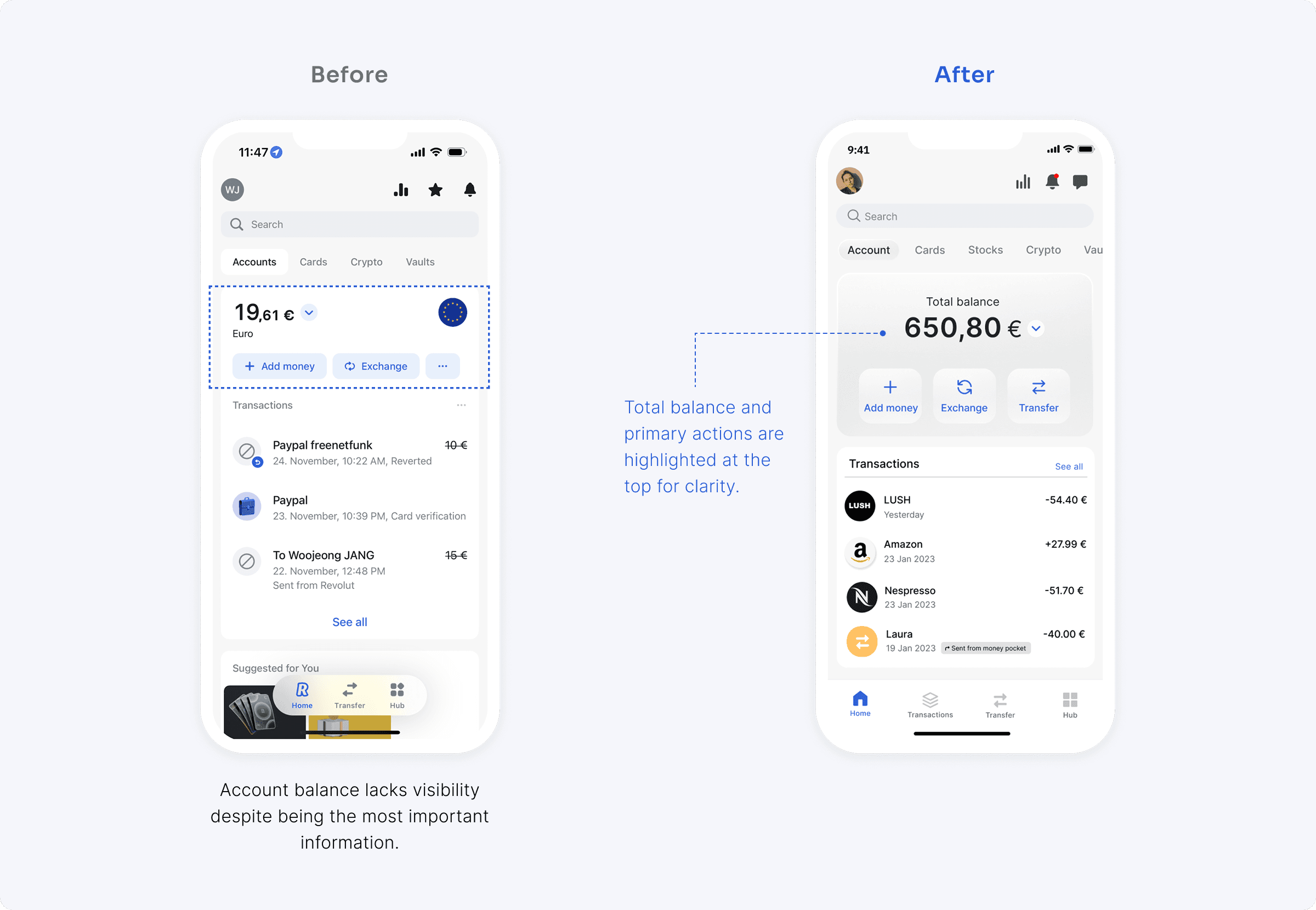
Lack of visual hierarchy on the home screen
Key banking features are not clearly prioritized, making it difficult for users to quickly find and access essential functions.
02
Unclear guidance in core user flows
Users experience uncertainty during key actions such as money transfers due to a lack of step-by-step guidance and clear entry points.
03
High cognitive load caused by fragmented navigation
Inconsistent tab placement and cluttered interface elements make navigation feel disjointed and harder to predict.
04
Inefficient customer support experience
Users struggle to access live support easily, and chatbot interactions feel repetitive and unhelpful, increasing frustration during issue resolution.
Home Interface Clarity
Users need a clearer visual hierarchy on the home screen to quickly understand and access key banking features.
Transfer Flow Guidance
Users expect a step-by-step guided flow when sending money, with a clear starting point and reduced cognitive load.
Customer Support Experience
Chatbot interactions feel repetitive and inefficient, making it harder for users to resolve issues quickly.
How might we simplify key user journeys to create a clearer and more intuitive banking experience?
Hypothesis
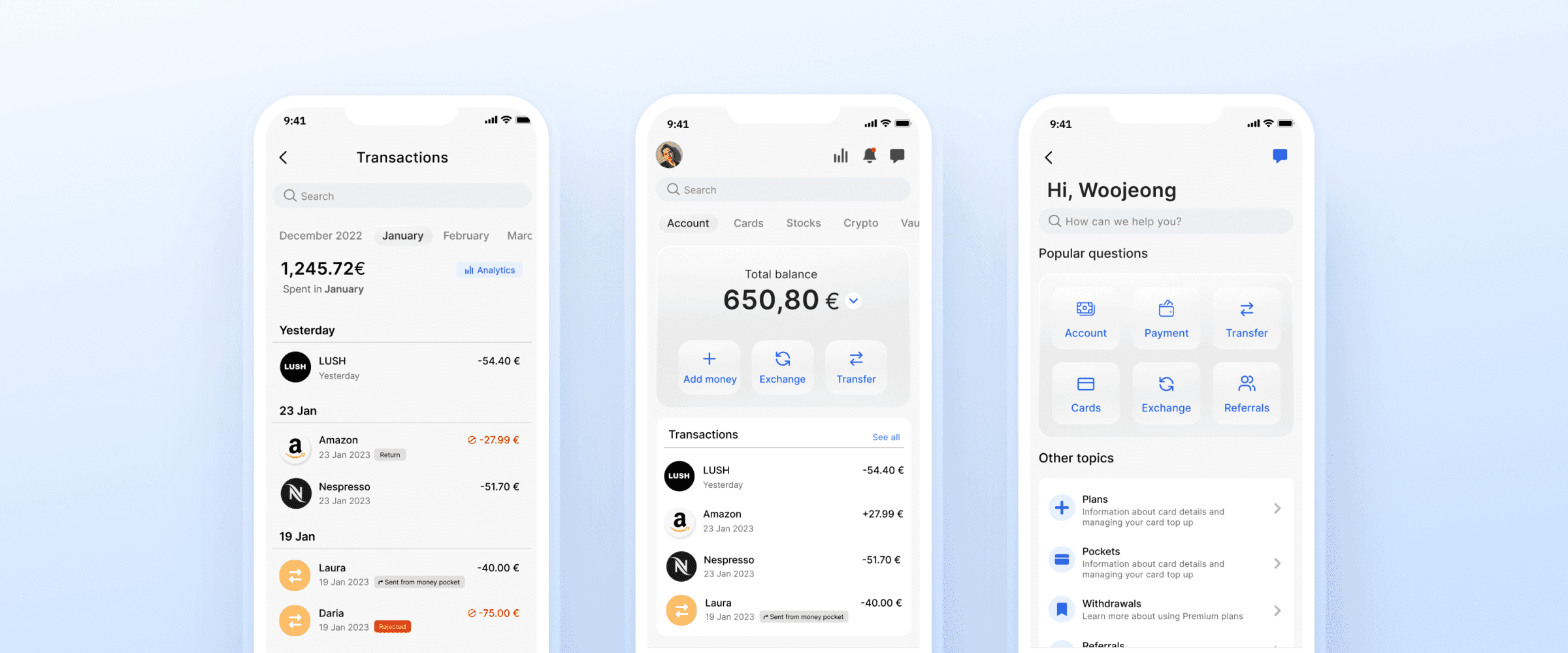
1. Home screen
The home screen prioritizes key information to improve clarity and overall user experience upon login.
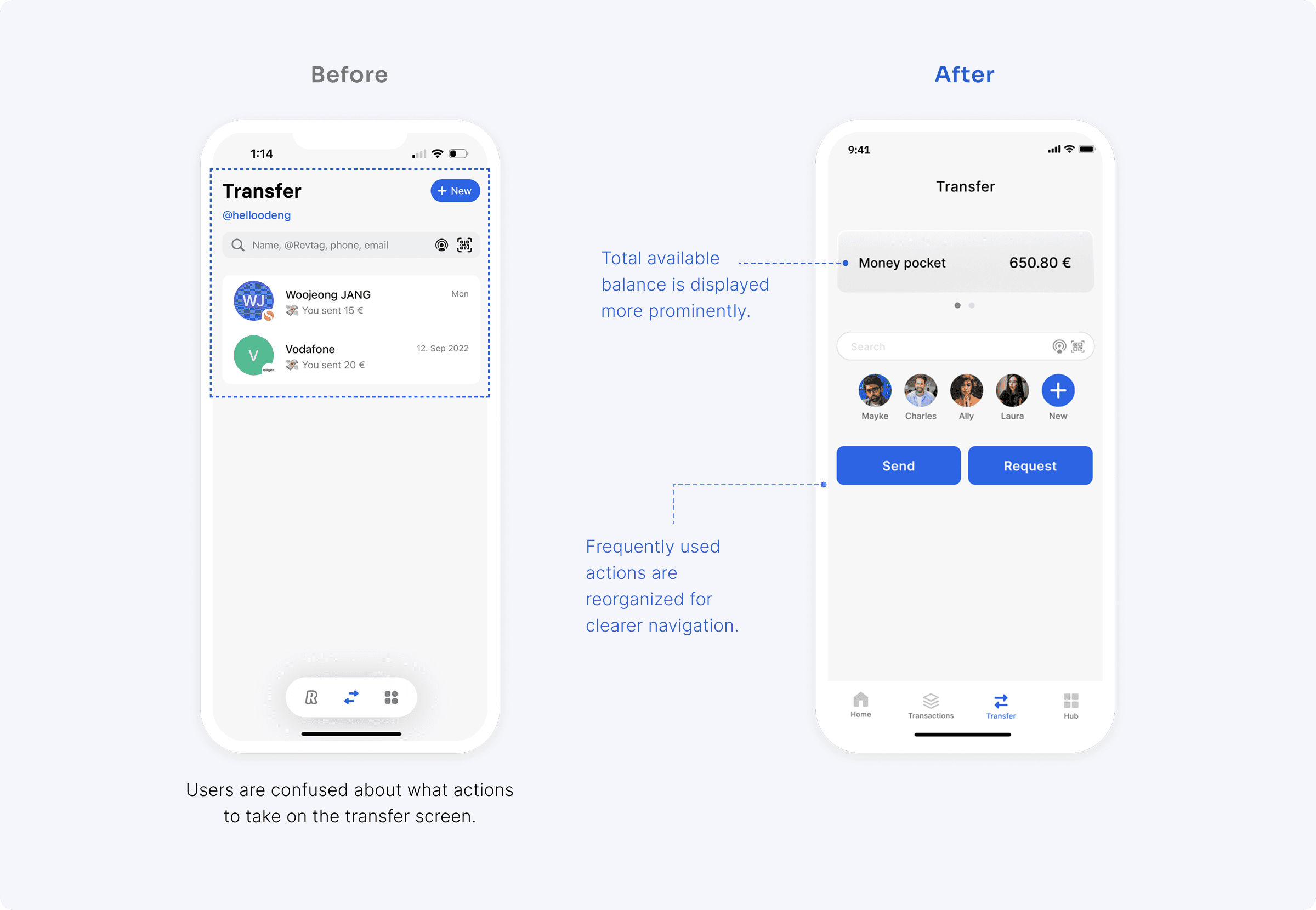
2. Transfer
The transfer screen improves usability by surfacing the most frequently used actions directly on the main interface, reducing unnecessary steps in the flow.
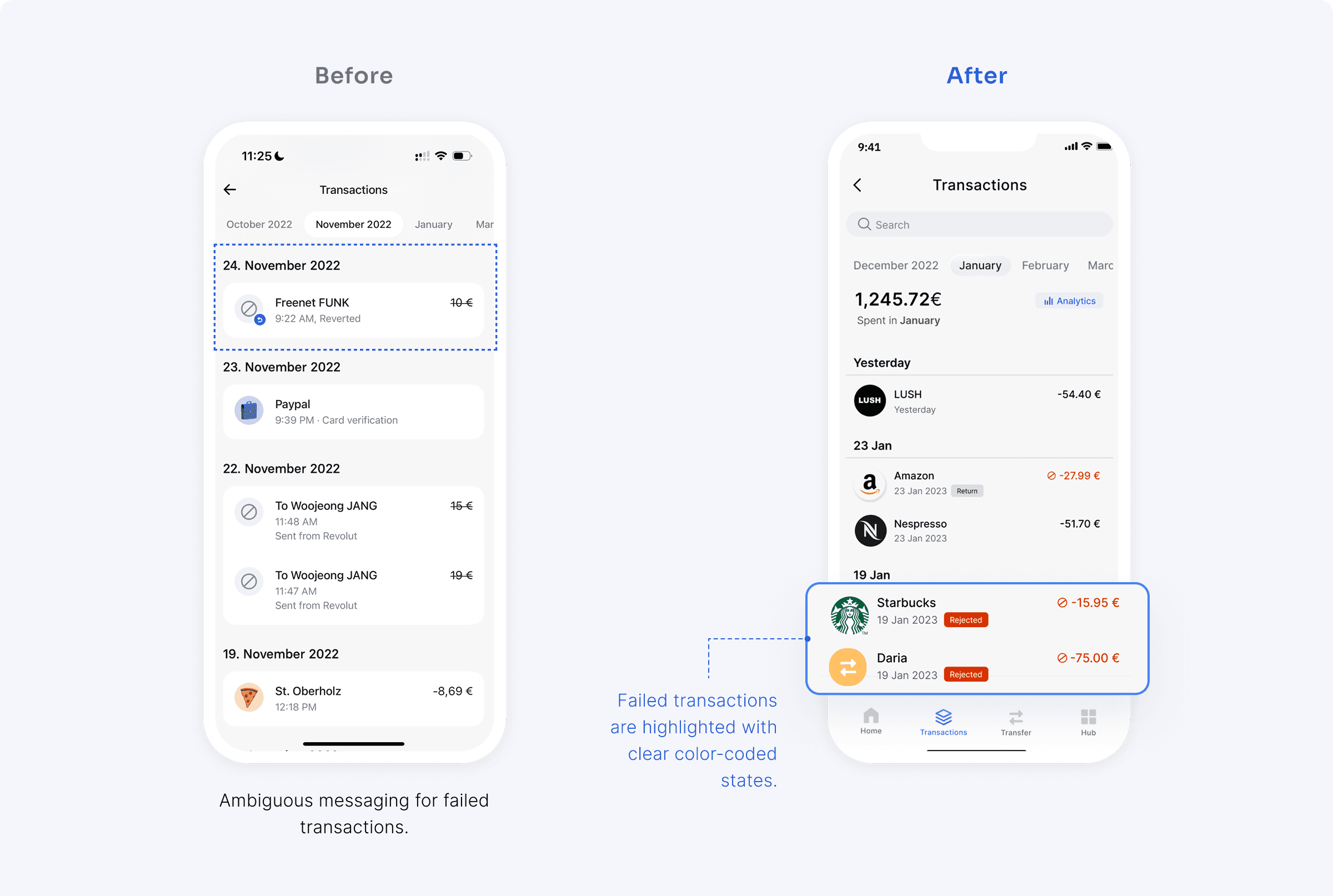
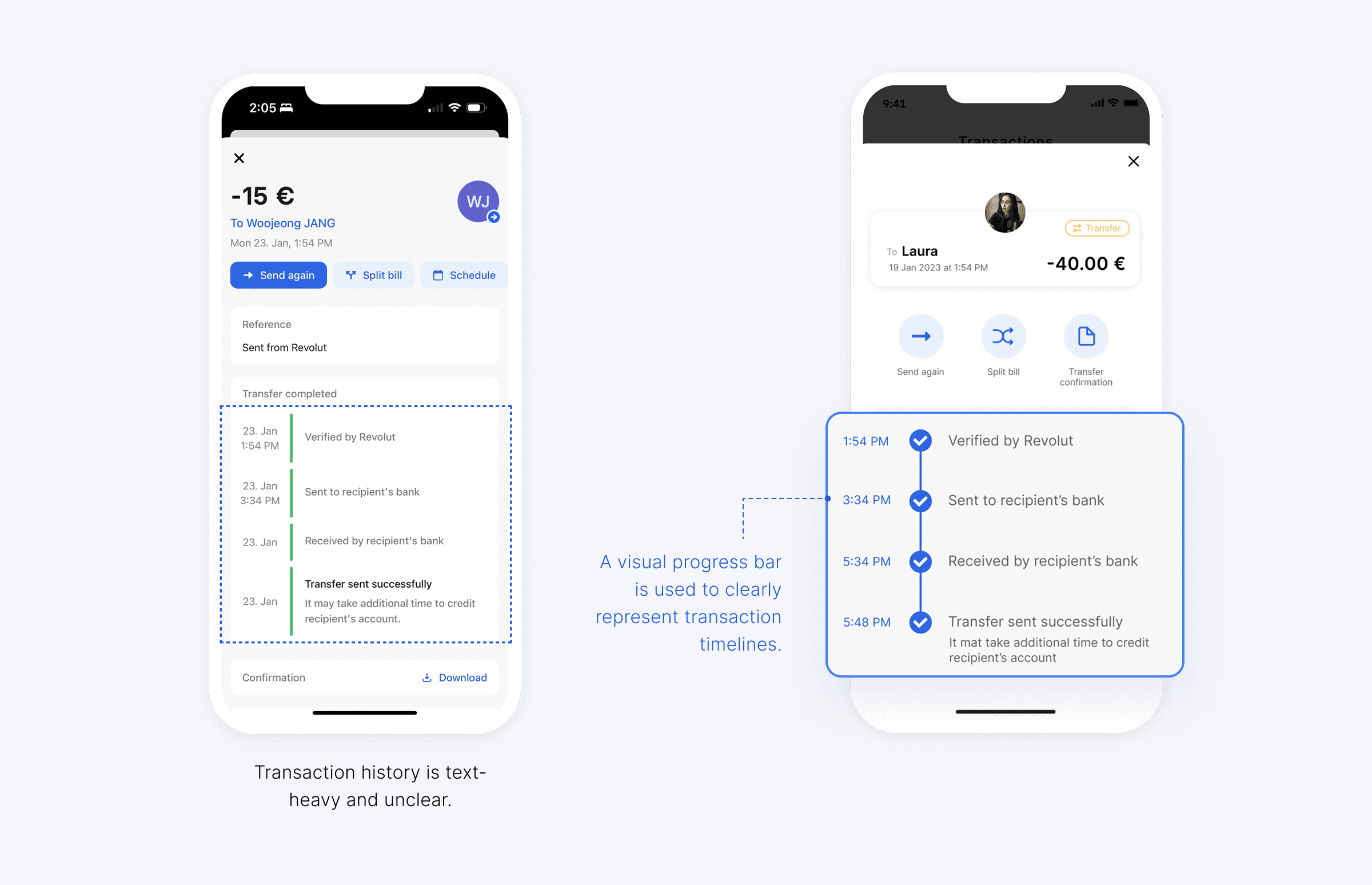
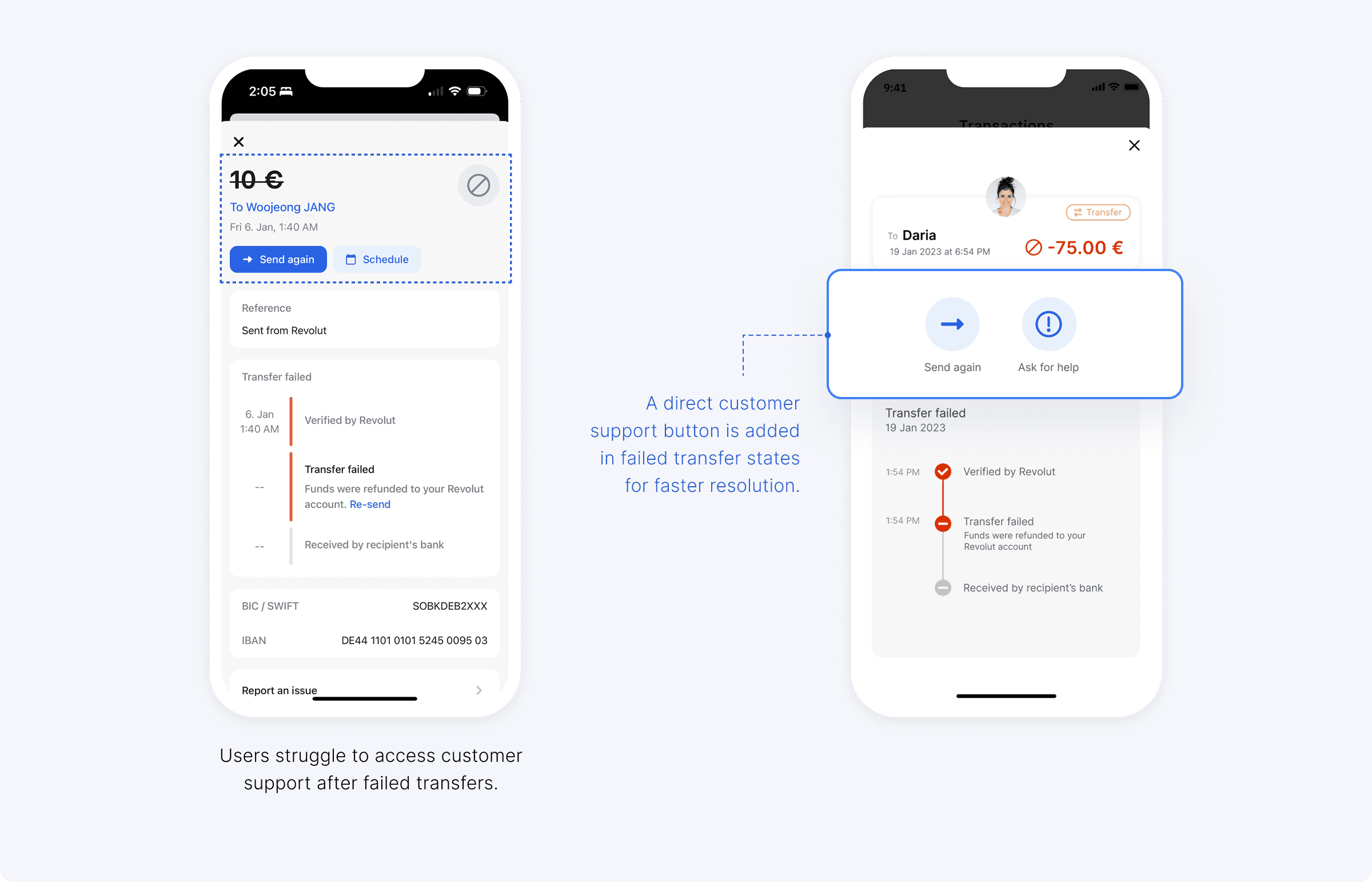
3. Transactions
The transaction screen clearly highlights failed cases and enables users to access customer support directly from error states, improving issue resolution flow.
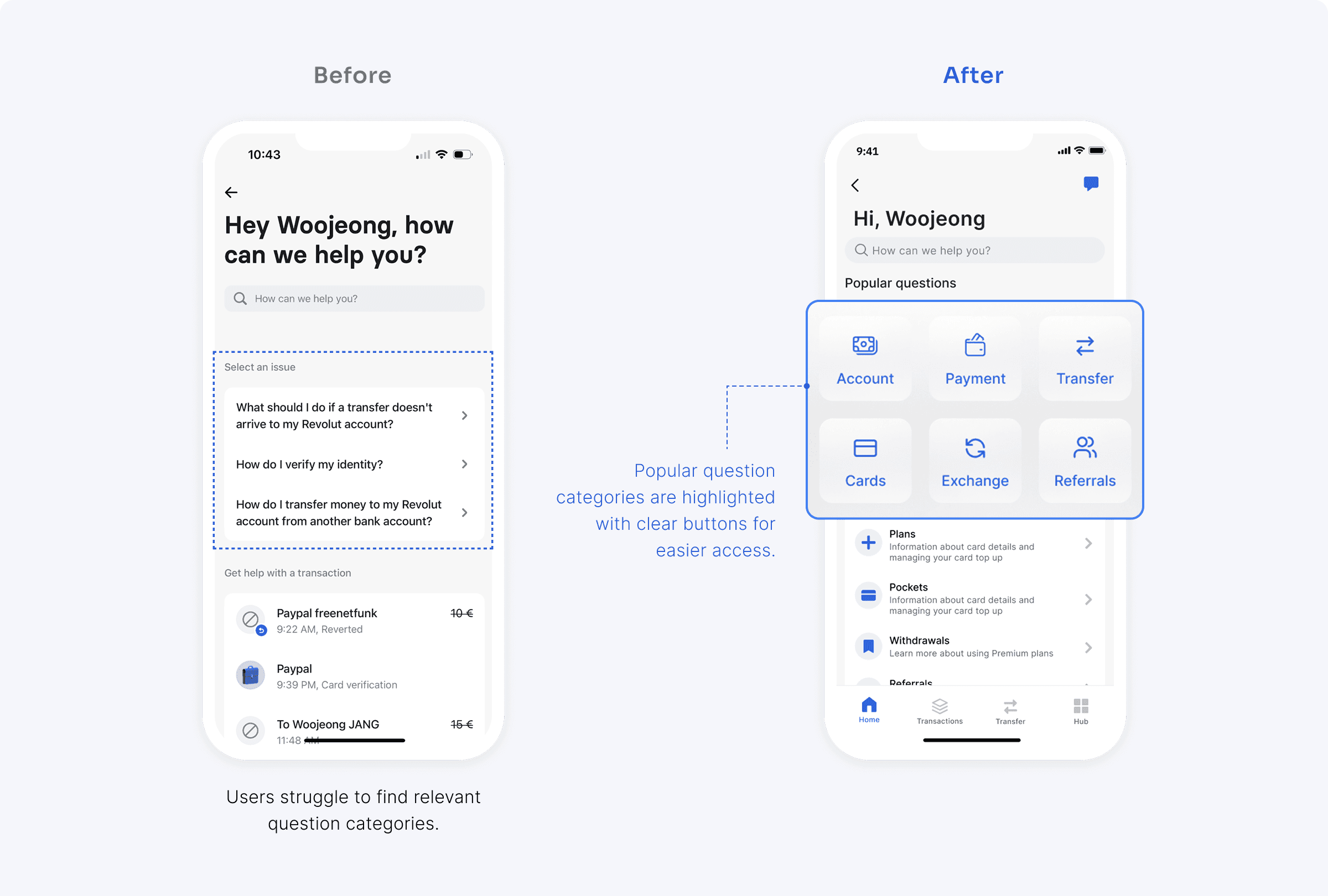
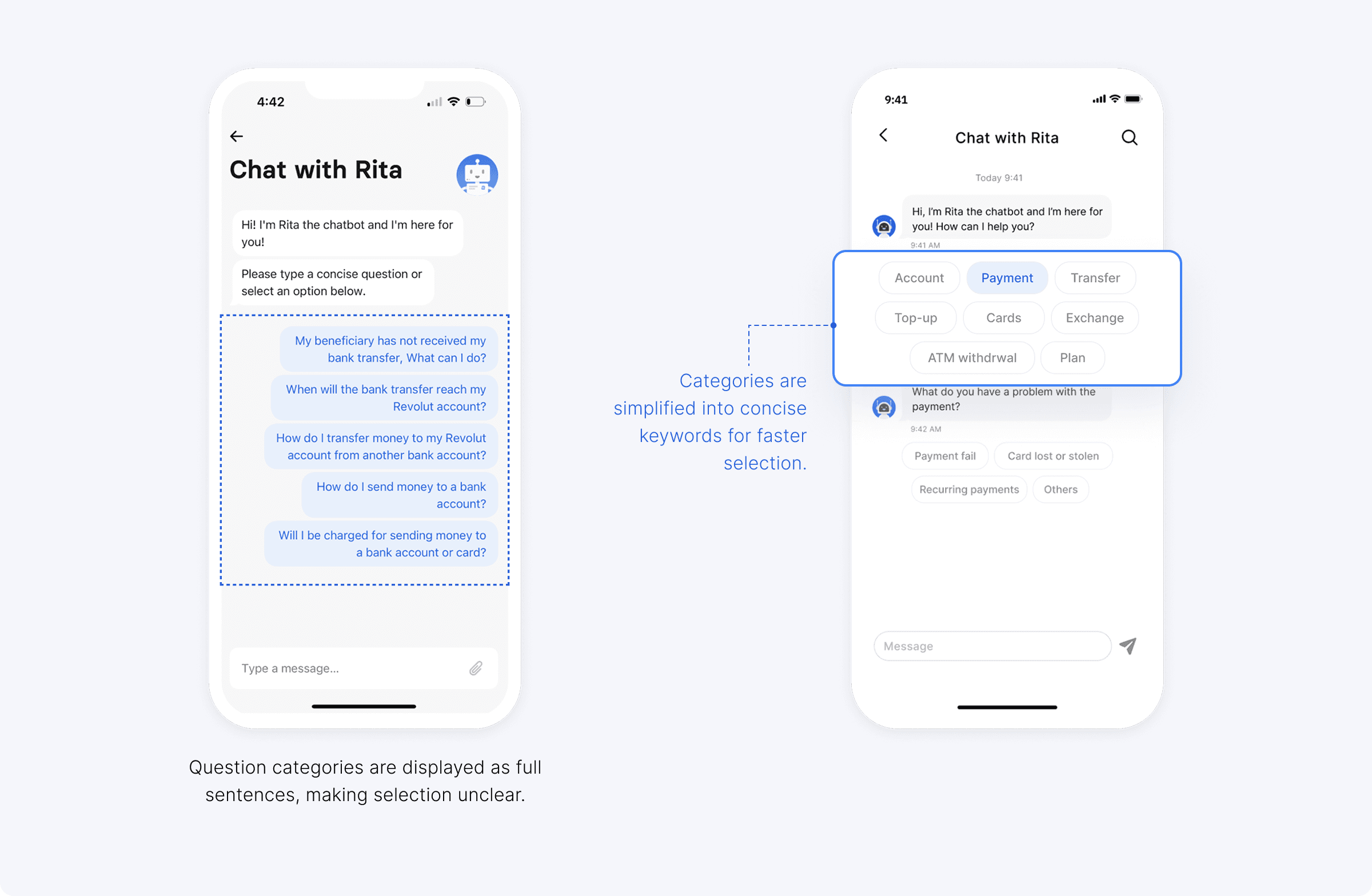
4. Chatbot Service
The chatbot experience is simplified by allowing users to report issues through quick input options such as buttons or voice input.
VALIDATION
Usability Testing
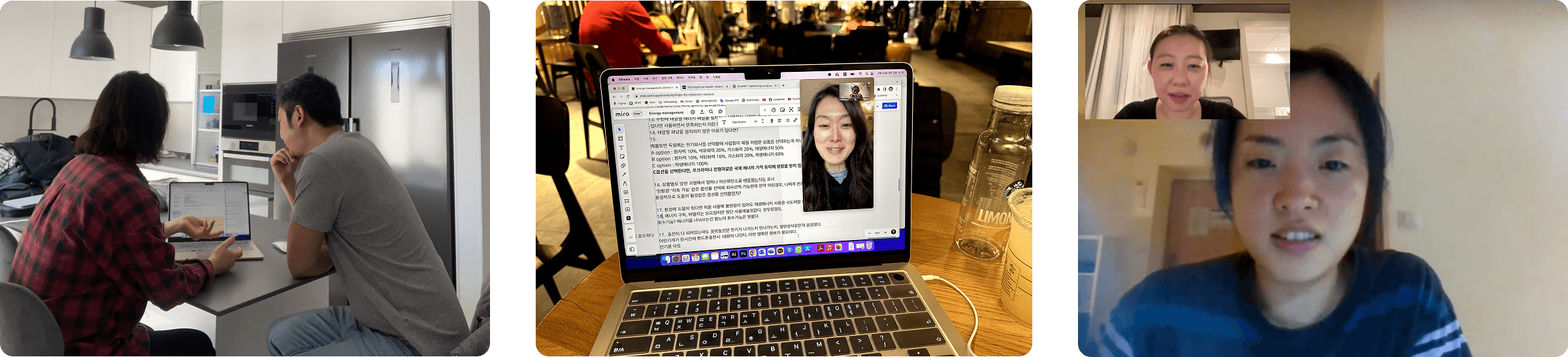
After creating the prototype, I conducted usability testing with 4 participants who use mobile banking apps in Europe. Overall, participants found the redesigned interface more organized and easier to navigate.
Minji Lee (32)
Student, Living in Prague
“I like the step-by-step guidance when sending money.”
Jungwan LEE (27)
Student, Living in Germany
“It’s easy to find category icons in the transaction timeline.”
Yulai (38)
Designer, Living in Germany
“I like the voice input in the chatbot, but the transfer flow is unclear.”
Redesign
Account balance and key actions are more visible
Transfer flow and UI are clearer
Transaction
Direct access to chatbot in error situations
Unable to view payment location map
Transfer
Chatbot
Chatbot is easy to find within the app
Guided prompts improve usability
Voice input flow is slightly confusing
Takeaways
Banking apps are purpose-driven products, where improving user experience is essential. Conducting usability testing after redesign helped me evaluate my work and identify clear areas for improvement.
Next time
This project helped me better understand visual hierarchy in complex banking interfaces. In future projects, I would test designs with a wider range of users to gain deeper insight.
